
Установка и настройка личного XMPP сервера

| Уровень сложности | Средний |
| Права root | Требуются |
| Требования | Терминал Linux |
| Категория | Установка ПО |
| Совместимость с ОС | Debian |
| Примерное время чтения | 2 часа |
Введение
В этой инструкции мы развернём полноценный XMPP-сервер для личного или корпоративного использования.
После завершения у вас будет:
- собственный Jabber-сервер
- поддержка федерации (другие сервера смогут писать вам)
- шифрование TLS
- поддержка OMEMO (сквозное шифрование в клиентах)
- веб-админка
- закрытая регистрация (без спама)
- возможность голосовых и видео-звонков
В этой инструкции используется официальный .deb пакет проекта ejabberd с GitHub, а не версия из стандартного репозитория Debian.
У него отличается расположение файлов: конфигурация находится в /opt/ejabberd/conf/, а не в /etc/ejabberd/, как в Debian-пакете.
Если вы установили ejabberd через apt install ejabberd, пути и структура каталогов будут другими, и команды из этой инструкции могут не совпадать.
Подготовка VPS
XMPP сервер обязан знать своё правильное доменное имя. Если hostname не совпадает, то TLS и федерация будут работать с ошибками.
В инструкции будет использоваться домен ms.tex-lab.ru и IP сервера 62.173.138.27 как пример. Обязательно замените их на свои реальные домен и IP при настройке.
1) Устанавливаем FQDN
Выполняем команду:
hostnamectl set-hostname ms.tex-lab.ruПроверяем:
hostnamectlДолжно быть:
Static hostname: ms.tex-lab.ru
2) Правим /etc/hosts
Открываем
nano /etc/hostsДобавляем:
127.0.0.1       localhost
IP_ВАШЕГО_VPS   ms.tex-lab.ru
Это нужно, чтобы сервер корректно сопоставлял своё имя и IP.
Настройка DNS
В панели домена создаём следующие записи:
A-запись
- Тип: A
- Имя: ms
- Значение: 62.173.138.27
Это указывает домен на ваш сервер.
SRV-записи
- Тип: SRV
- Имя: _xmpp-client._tcp.ms.tex-lab.ru
- Приоритет: 0
- Вес: 5
- Порт: 5222
- Целевой хост: ms.tex-lab.ru
- Тип: SRV
- Имя: _xmpp-server._tcp.ms.tex-lab.ru
- Приоритет: 0
- Вес: 5
- Порт: 5269
- Целевой хост: ms.tex-lab.ru
SRV записи нужны для федерации и правильного подключения клиентов.
Проверяем:
dig SRV _xmpp-client._tcp.ms.tex-lab.ru
dig SRV _xmpp-server._tcp.ms.tex-lab.ru
Установка ejabberd
Скачиваем официальный релиз:
wget https://github.com/processone/ejabberd/releases/download/26.02/ejabberd_26.02-1_amd64.debЕсли сервер ARM, то нужен arm64 пакет.
В уроке мы устанавливаем версию 26.2.0, но уже может выйти новая версия, когда Вы читаете этот текст. Проверяйте актуальную версию на странице GitHub проекта!
Обновляем список пакетов:
apt updateУстанавливаем:
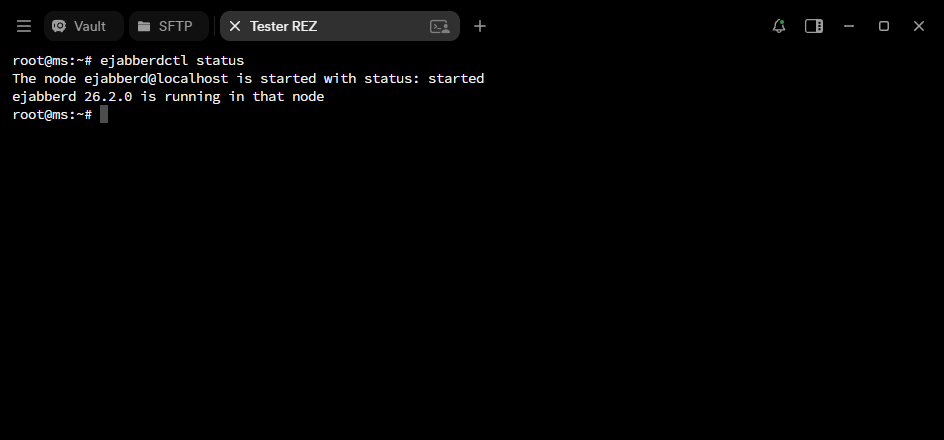
apt install ./ejabberd_26.02-1_amd64.debПроверяем запуск:
ejabberdctl statusУстановка прошла успешно, если сервис запустился и работает.
Открытие портов
Основные XMPP-порты
| Порт | Протокол | Назначение |
|---|---|---|
| 5222 | TCP | Подключение клиентов (STARTTLS) |
| 5269 | TCP | Связь между XMPP-серверами (S2S) |
| 5443 | TCP | Веб-админка |
| 5280 | TCP | HTTP-bind / WebSocket (если используется) |
Порты для звонков (STUN / TURN)
| Порт | Протокол | Назначение |
|---|---|---|
| 3478 | UDP | STUN / TURN |
| 3478 | TCP | TURN |
| 5349 | TCP | TURN over TLS |
Эти порты обязательны, если используется coturn
Как открыть порты в Linux
Если используется UFW:
ufw allow 5222/tcp
ufw allow 5269/tcp
ufw allow 5443/tcp
ufw allow 5280/tcp

ufw allow 3478/tcp
ufw allow 3478/udp
ufw allow 5349/tcp
Проверить статус:
ufw statusЕсли UFW выключен:
ufw enableЕсли используется iptables
Пример открытия портов:
iptables -A INPUT -p tcp --dport 5222 -j ACCEPT
iptables -A INPUT -p tcp --dport 5269 -j ACCEPT
iptables -A INPUT -p tcp --dport 5443 -j ACCEPT
iptables -A INPUT -p tcp --dport 5280 -j ACCEPT

iptables -A INPUT -p tcp --dport 3478 -j ACCEPT
iptables -A INPUT -p udp --dport 3478 -j ACCEPT
iptables -A INPUT -p tcp --dport 5349 -j ACCEPT
Не забудьте сохранить правила.
Получение SSL сертификата
Без TLS XMPP сервер считается небезопасным, а федерация может не работать.
1) Останавливаем ejabberd:
systemctl stop ejabberd2) Устанавливаем certbot:
apt install certbot3) Получаем сертификат:
certbot certonly --standalone -d ms.tex-lab.ru
4) Создаём группу (если её нет)
groupadd ssl-certОбычно она уже существует, но команда не повредит.
5) Добавляем пользователя ejabberd в эту группу
usermod -aG ssl-cert ejabberdПосле этого может потребоваться перезапуск сервиса.
6) Назначаем группу для сертификатов
chgrp -R ssl-cert /etc/letsencrypt7) Настраиваем права доступа
chmod -R 750 /etc/letsencrypt8) Запускаем сервер:
systemctl start ejabberd9) Автоматический перезапуск ejabberd и coturn после продления
Создаём файл:
nano /etc/letsencrypt/renewal-hooks/deploy/restart-services.shВставляем:
!/bin/bash
systemctl restart ejabberd
systemctl restart coturn
Делаем исполняемым:
chmod +x /etc/letsencrypt/renewal-hooks/deploy/restart-services.shТеперь при каждом успешном продлении:
- Сертификат обновится
- Ejabberd перезапустится
- TURN перезапустится
Настройка ejabberd
Открываем файл конфигурации:
nano /opt/ejabberd/conf/ejabberd.ymlМеняем hosts
Было:
hosts:
  - "localhost"
Станет:
hosts:
  - "ms.tex-lab.ru"
Это основной XMPP-домен.
Указываем сертификаты
Найдем блок:
certfiles:
  - "/etc/ejabberd/ejabberd.pem"
И заменим его на:
certfiles:
  - /etc/letsencrypt/live/ms.tex-lab.ru/fullchain.pem
  - /etc/letsencrypt/live/ms.tex-lab.ru/privkey.pem
В access_rules добавляем:
  register:
    deny: all
Это означает, что все запросы на регистрацию новых пользователей будут отклонены.
Включаем обязательный TLS
В блоке порта 5222 включаем опцию:
starttls_required: trueТеперь клиенты будут обязаны подключаться через шифрование.
Проверяем модули для OMEMO
В блоке modules должны быть:
mod_mam:
  assume_mam_usage: true
  default: always

mod_pubsub:
  access_createnode: local
OMEMO работает в клиентах, сервер лишь поддерживает нужные функции.
Включаем Web-админку
В блоке listen:
  -
    port: 5280
    module: ejabberd_http
    request_handlers:
      "/admin": ejabberd_web_admin
Для HTTPS:
  -
    port: 5443
    module: ejabberd_http
    tls: true
    request_handlers:
      "/admin": ejabberd_web_admin
Задаем явно администратора
Найдем:
acl:
  local:
    user_regexp: ""
И укажем админа:
acl:
  admin:
    user: admin@ms.tex-lab.ru
  local:
    user_regexp: ""
Перезагружаем сервис:
systemctl restart ejabberdЕсли ошибка, то смотрим логи:
journalctl -u ejabberd -n 50 --no-pagerСоздание администратора
1) Введем команду:
ejabberdctl register admin ms.tex-lab.ru СЛОЖНЫЙ_ПАРОЛЬ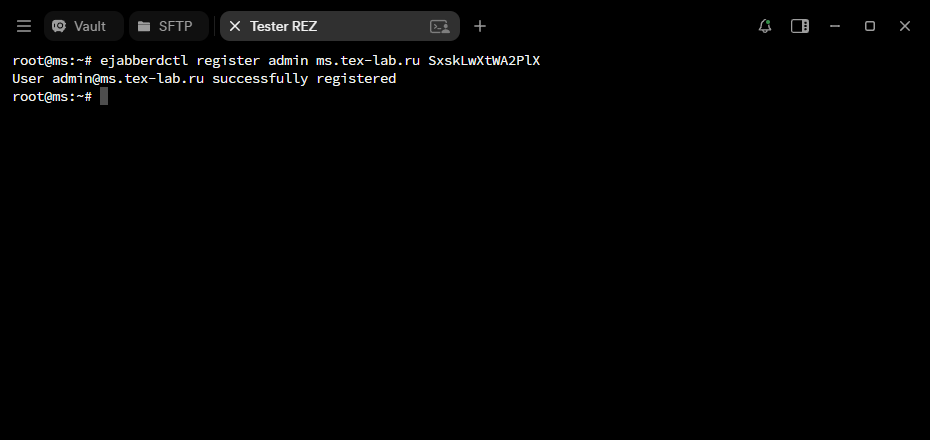
Откроем панель в браузере:
https://ms.tex-lab.ru:5443/adminЭто панель администрирования XMPP-сервера.
Входим под ранее созданной учётной записью администратора
(например, admin@ms.tex-lab.ru).

Веб-интерфейс позволяет управлять сервером без ручного редактирования конфигов:
- Управление пользователями
- Мониторинг подключений
- Управление MUC (групповые чаты)
- Управление модулями сервера
- Просмотр статистики и состояния сервера
Проверка работы
После настройки сервера на базе ejabberd необходимо проверить подключение с клиентского устройства.
1) Установка клиента
XMPP поддерживается на большинстве платформ.
Android
- Conversations - современный, стабильный, поддерживает OMEMO и звонки
- Xabber - простой и понятный интерфейс
iOS
Windows
Linux
2) Проверка подключения
-
Установите любой XMPP-клиент.
-
Выберите «Добавить аккаунт».
-
Укажите:
-
JID (логин):
пользователь@ms.tex-lab.ru -
Пароль: тот, который вы задали
-
Сервер:
ms.tex-lab.ru(если требуется вручную)
-
-
Подключитесь.
Если всё настроено правильно, то статус станет «В сети».
3) Проверка отправки сообщений
Для тестирования:
- Создайте второго пользователя через админ-панель или командой, как создавали админа,
- Авторизуйтесь под разными аккаунтами на двух устройствах.
- Добавьте собеседника в контакты (введите его JID).
- Отправьте сообщение.
Если сообщение дошло до собеседника, то сервер работает.

Подключение звонков и видео
Сервер сообщений уже работает, WebSocket подключается, чаты отправляются. Теперь добавим поддержку голосовых и видеозвонков через TURN-сервер.
1. Установка TURN-сервера
Устанавливаем coturn:
apt update
apt install coturn -y
Включаем автозапуск:
systemctl enable coturn2. Генерация секрета
TURN должен использовать тот же secret, что и ejabberd.
Сгенерировать можно так:
openssl rand -hex 32Пример:
a1b2c3d4e5f6a7b8c9d0e1f2a3b4c5d6e7f8g9h0i1j2k3l4m5n6o7p8q9r0s1t23. Настройка TURN (/etc/turnserver.conf)
Открываем файл:
nano /etc/turnserver.confПриводим конфигурацию к такому виду:
listening-port=3478
tls-listening-port=5349

fingerprint
use-auth-secret
static-auth-secret=СЕКРЕТ_ИЗ_OPENSSL

realm=ms.tex-lab.ru

cert=/etc/letsencrypt/live/ms.tex-lab.ru/fullchain.pem
pkey=/etc/letsencrypt/live/ms.tex-lab.ru/privkey.pem
Сохраняем и перезагружаем сервис:
systemctl restart coturnПроверяем:
systemctl status coturn
4. Донастройка ejabberd
Теперь подключаем TURN к ejabberd.
Открываем файл конфигурации:
nano /opt/ejabberd/conf/ejabberd.ymlВ modules добавляем:
  mod_stun_disco:
    secret: "СЕКРЕТ_ТОТ_ЖЕ_ЧТО_В_TURN"
    services:
      - host: "ms.tex-lab.ru"
        port: 3478
        transport: udp
      - host: "ms.tex-lab.ru"
        port: 5349
        transport: tcp
В secret должен быть тот же static-auth-secret, что в turnserver.conf.
Перезагружаем ejabberd:
systemctl restart ejabberdПроверка звонков:
- Откройте чат с пользователем.
- Нажмите кнопку звонка.
- Разрешите доступ к микрофону/камере.
- Проверьте соединение.
При успешной настройке звонок установится даже при работе через мобильную сеть или за NAT.

Подключение ejabberd к MariaDB
Ejabberd из коробки использует свою встроенную базу Mnesia, которая отлично подходит для тестов и небольших серверов, но у неё есть ограничения:
-
Максимальный размер базы составляет 2 ГБ
-
Хранение больших объёмов сообщений и истории становится медленным
Подключение внешней базы MariaDB даёт:
-
Хранение больших объёмов данных без ограничений встроенной Mnesia
-
Возможность резервного копирования, репликации и масштабирования
-
Более удобную работу с историей сообщений, MUC и медиа
-
Лёгкую интеграцию с внешними сервисами, аналитикой и администрированием
Установка MariaDB
apt install mariadb-server mariadb-client -yНастройка MariaDB для ejabberd
Создаём пользователя для ejabberd:
CREATE DATABASE ejabberd;
CREATE USER 'ejabberd'@'localhost' IDENTIFIED BY 'СЛОЖНЫЙ_ПАРОЛЬ';
GRANT ALL PRIVILEGES ON ejabberd.* TO 'ejabberd'@'localhost';
FLUSH PRIVILEGES;
Таблицы ejabberd создаёт сам при подключении к базе.
Настройка ejabberd
В ejabberd.yml прописываем только подключение к БД в начале файла:
sql_type: mysql
sql_server: "localhost"
sql_database: "ejabberd"
sql_username: "ejabberd"
sql_password: "СЛОЖНЫЙ_ПАРОЛЬ"
sql_port: 3306
В блоке modules должны быть:
Надо найти:
  mod_mam:
    assume_mam_usage: true
    default: always
Привести к виду:
  mod_mam:
    db_type: sql
    assume_mam_usage: true
    default: always
Перезагружаем ejabberd:
systemctl restart ejabberdТеперь ejabberd будет писать данные на внешнюю БД.
Итоговые конфигурации
Для примера выкладываем итоговые файлы конфигурации для наглядного примера. Могут не работать в новых версиях корректно.
Конфигурация /opt/ejabberd/conf/ejabberd.yml
###
###              ejabberd configuration file
###
### The parameters used in this configuration file are explained at
###
###       https://docs.ejabberd.im/admin/configuration
###
### The configuration file is written in YAML.
### *******************************************************
### *******           !!! WARNING !!!               *******
### *******     YAML IS INDENTATION SENSITIVE       *******
### ******* MAKE SURE YOU INDENT SECTIONS CORRECTLY *******
### *******************************************************
### Refer to http://en.wikipedia.org/wiki/YAML for the brief description.
###

hosts:
  - ms.tex-lab.ru

loglevel: info

sql_type: mysql
sql_server: "localhost"
sql_database: "ejabberd"
sql_username: "ejabberd"
sql_password: "r7emMhOqRMt4fm"
sql_port: 3306

ca_file: /opt/ejabberd/conf/cacert.pem

certfiles:
  - /etc/letsencrypt/live/ms.tex-lab.ru/fullchain.pem
  - /etc/letsencrypt/live/ms.tex-lab.ru/privkey.pem

listen:
  -
    port: 5222
    ip: "::"
    module: ejabberd_c2s
    max_stanza_size: 262144
    shaper: c2s_shaper
    access: c2s
    starttls_required: true
  -
    port: 5223
    ip: "::"
    module: ejabberd_c2s
    max_stanza_size: 262144
    shaper: c2s_shaper
    access: c2s
    tls: true
  -
    port: 5269
    ip: "::"
    module: ejabberd_s2s_in
    max_stanza_size: 524288
    shaper: s2s_shaper
  -
    port: 5443
    ip: "::"
    module: ejabberd_http
    tls: true
    request_handlers:
      /admin: ejabberd_web_admin
      /api: mod_http_api
      /bosh: mod_bosh
      /captcha: ejabberd_captcha
      /upload: mod_http_upload
      /ws: ejabberd_http_ws
  -
    port: 5280
    ip: "::"
    module: ejabberd_http
    request_handlers:
      /admin: ejabberd_web_admin
      /.well-known/acme-challenge: ejabberd_acme
  -
    port: 5478
    ip: "::"
    transport: udp
    module: ejabberd_stun
    use_turn: true
    ## The server's public IPv4 address:
    # turn_ipv4_address: "203.0.113.3"
    ## The server's public IPv6 address:
    # turn_ipv6_address: "2001:db8::3"
  -
    port: 1883
    ip: "::"
    module: mod_mqtt
    backlog: 1000

s2s_use_starttls: optional

acl:
  admin:
    user: "admin@ms.tex-lab.ru"
  local:
    user_regexp: ""
  loopback:
    ip:
      - 127.0.0.0/8
      - ::1/128

access_rules:
  local:
    allow: local
  c2s:
    deny: blocked
    allow: all
  announce:
    allow: admin
  configure:
    allow: admin
  muc_create:
    allow: local
  pubsub_createnode:
    allow: local
  trusted_network:
    allow: loopback
  register:
    deny: all

api_permissions:
  "console commands":
    from: ejabberd_ctl
    who: all
    what: "*"
  "webadmin commands":
    from: ejabberd_web_admin
    who: admin
    what: "*"
  "adhoc commands":
    from: mod_adhoc_api
    who: admin
    what: "*"
  "http access":
    from: mod_http_api
    who:
      access:
        allow:
          - acl: loopback
          - acl: admin
      oauth:
        scope: "ejabberd:admin"
        access:
          allow:
            - acl: loopback
            - acl: admin
    what:
      - "*"
      - "!stop"
      - "!start"
  "public commands":
    who:
      ip: 127.0.0.1/8
    what:
      - status
      - connected_users_number

shaper:
  normal:
    rate: 3000
    burst_size: 20000
  fast: 100000

shaper_rules:
  max_user_sessions: 10
  max_user_offline_messages:
    5000: admin
    100: all
  c2s_shaper:
    none: admin
    normal: all
  s2s_shaper: fast

modules:
  mod_adhoc: {}
  mod_adhoc_api: {}
  mod_admin_extra: {}
  mod_announce:
    access: announce
  mod_avatar: {}
  mod_blocking: {}
  mod_bosh: {}
  mod_caps: {}
  mod_carboncopy: {}
  mod_client_state: {}
  mod_configure: {}
  mod_disco: {}
  mod_fail2ban: {}
  mod_http_api: {}
  mod_http_upload:
    put_url: https://@HOST_URL_ENCODE@:5443/upload
    custom_headers:
      "Access-Control-Allow-Origin": "https://@HOST@"
      "Access-Control-Allow-Methods": "GET,HEAD,PUT,OPTIONS"
      "Access-Control-Allow-Headers": "Content-Type"
  mod_last: {}
  mod_mam:
    ## Mnesia is limited to 2GB, better to use an SQL backend
    ## For small servers SQLite is a good fit and is very easy
    ## to configure. Uncomment this when you have SQL configured:
    db_type: sql
    assume_mam_usage: true
    default: always
  mod_mqtt: {}
  mod_muc:
    access:
      - allow
    access_admin:
      - allow: admin
    access_create: muc_create
    access_persistent: muc_create
    access_mam:
      - allow
    default_room_options:
      mam: true
  mod_muc_admin: {}
  mod_offline:
    access_max_user_messages: max_user_offline_messages
  mod_ping: {}
  mod_privacy: {}
  mod_private: {}
  mod_proxy65:
    access: local
    max_connections: 5
  mod_pubsub:
    access_createnode: local
    plugins:
      - flat
      - pep
    force_node_config:
      ## Avoid buggy clients to make their bookmarks public
      storage:bookmarks:
        access_model: whitelist
  mod_push: {}
  mod_push_keepalive: {}
  mod_register:
    ## Only accept registration requests from the "trusted"
    ## network (see access_rules section above).
    ## Think twice before enabling registration from any
    ## address. See the Jabber SPAM Manifesto for details:
    ## https://github.com/ge0rg/jabber-spam-fighting-manifesto
    ip_access: trusted_network
  mod_roster:
    versioning: true
  mod_s2s_bidi: {}
  mod_s2s_dialback: {}
  mod_shared_roster: {}
  mod_stream_mgmt:
    resend_on_timeout: if_offline
  mod_stun_disco:
    secret: "2e5cedb49e58257e52179158c3851231aea6080335f4c2f7e847630f586a1d50"
    services:
      - host: "ms.tex-lab.ru"
        port: 3478
        transport: udp
      - host: "ms.tex-lab.ru"
        port: 5349
        transport: tcp
  mod_vcard: {}
  mod_vcard_xupdate: {}
  mod_version:
    show_os: false

### Local Variables:
### mode: yaml
### End:
### vim: set filetype=yaml tabstop=8
Конфигурация /etc/turnserver.conf
# Coturn TURN SERVER configuration file
#
# Boolean values note: where a boolean value is supposed to be used,
# you can use '0', 'off', 'no', 'false', or 'f' as 'false,
# and you can use '1', 'on', 'yes', 'true', or 't' as 'true'
# If the value is missing, then it means 'true' by default.
#

# Listener interface device (optional, Linux only).
# NOT RECOMMENDED.
#
#listening-device=eth0

# TURN listener port for UDP and TCP (Default: 3478).
# Note: actually, TLS & DTLS sessions can connect to the
# "plain" TCP & UDP port(s), too - if allowed by configuration.
#
listening-port=3478

# TURN listener port for TLS (Default: 5349).
# Note: actually, "plain" TCP & UDP sessions can connect to the TLS & DTLS
# port(s), too - if allowed by configuration. The TURN server
# "automatically" recognizes the type of traffic. Actually, two listening
# endpoints (the "plain" one and the "tls" one) are equivalent in terms of
# functionality; but Coturn keeps both endpoints to satisfy the RFC 5766 specs.
# For secure TCP connections, Coturn currently supports
# TLS version 1.0, 1.1 and 1.2.
# For secure UDP connections, Coturn supports DTLS version 1.
#
tls-listening-port=5349

# Alternative listening port for UDP and TCP listeners;
# default (or zero) value means "listening port plus one".
# This is needed for RFC 5780 support
# (STUN extension specs, NAT behavior discovery). The TURN Server
# supports RFC 5780 only if it is started with more than one
# listening IP address of the same family (IPv4 or IPv6).
# RFC 5780 is supported only by UDP protocol, other protocols
# are listening to that endpoint only for "symmetry".
#
#alt-listening-port=0

# Alternative listening port for TLS and DTLS protocols.
# Default (or zero) value means "TLS listening port plus one".
#
#alt-tls-listening-port=0

# Some network setups will require using a TCP reverse proxy in front
# of the STUN server. If the proxy port option is set a single listener
# is started on the given port that accepts connections using the
# haproxy proxy protocol v2.
# (https://www.haproxy.org/download/1.8/doc/proxy-protocol.txt)
#
#tcp-proxy-port=5555

# Listener IP address of relay server. Multiple listeners can be specified.
# If no IP(s) specified in the config file or in the command line options,
# then all IPv4 and IPv6 system IPs will be used for listening.
#
#listening-ip=172.17.19.101
#listening-ip=10.207.21.238
#listening-ip=2607:f0d0:1002:51::4

# Auxiliary STUN/TURN server listening endpoint.
# Aux servers have almost full TURN and STUN functionality.
# The (minor) limitations are:
#
# 1) Auxiliary servers do not have alternative ports and
# they do not support STUN RFC 5780 functionality (CHANGE REQUEST).
#
# 2) Auxiliary servers also are never returning ALTERNATIVE-SERVER reply.
#
# Valid formats are 1.2.3.4:5555 for IPv4 and [1:2::3:4]:5555 for IPv6.
#
# There may be multiple aux-server options, each will be used for listening
# to client requests.
#
#aux-server=172.17.19.110:33478
#aux-server=[2607:f0d0:1002:51::4]:33478

# (recommended for older Linuxes only)
# Automatically balance UDP traffic over auxiliary servers (if configured).
# The load balancing is using the ALTERNATE-SERVER mechanism.
# The TURN client must support 300 ALTERNATE-SERVER response for this
# functionality.
#
#udp-self-balance

# Relay interface device for relay sockets (optional, Linux only).
# NOT RECOMMENDED.
#
#relay-device=eth1

# Relay address (the local IP address that will be used to relay the
# packets to the peer).
# Multiple relay addresses may be used.
# The same IP(s) can be used as both listening IP(s) and relay IP(s).
#
# If no relay IP(s) specified, then the turnserver will apply the default
# policy: it will decide itself which relay addresses to be used, and it
# will always be using the client socket IP address as the relay IP address
# of the TURN session (if the requested relay address family is the same
# as the family of the client socket).
#
#relay-ip=172.17.19.105
#relay-ip=2607:f0d0:1002:51::5

# For Amazon EC2 users:
#
# TURN Server public/private address mapping, if the server is behind NAT.
# In that situation, if a -X is used in form "-X <ip>" then that ip will be reported
# as relay IP address of all allocations. This scenario works only in a simple case
# when one single relay address is be used, and no RFC5780 functionality is required.
# That single relay address must be mapped by NAT to the 'external' IP.
# The "external-ip" value, if not empty, is returned in XOR-RELAYED-ADDRESS field.
# For that 'external' IP, NAT must forward ports directly (relayed port 12345
# must be always mapped to the same 'external' port 12345).
#
# In more complex case when more than one IP address is involved,
# that option must be used several times, each entry must
# have form "-X <public-ip/private-ip>", to map all involved addresses.
# RFC5780 NAT discovery STUN functionality will work correctly,
# if the addresses are mapped properly, even when the TURN server itself
# is behind A NAT.
#
# By default, this value is empty, and no address mapping is used.
#
#external-ip=60.70.80.91
#
#OR:
#
#external-ip=60.70.80.91/172.17.19.101
#external-ip=60.70.80.92/172.17.19.102


# Number of the relay threads to handle the established connections
# (in addition to authentication thread and the listener thread).
# If explicitly set to 0 then application runs relay process in a
# single thread, in the same thread with the listener process
# (the authentication thread will still be a separate thread).
#
# If this parameter is not set, then the default OS-dependent
# thread pattern algorithm will be employed. Usually the default
# algorithm is optimal, so you have to change this option
# if you want to make some fine tweaks.
#
# In the older systems (Linux kernel before 3.9),
# the number of UDP threads is always one thread per network listening
# endpoint - including the auxiliary endpoints - unless 0 (zero) or
# 1 (one) value is set.
#
#relay-threads=0

# Lower and upper bounds of the UDP relay endpoints:
# (default values are 49152 and 65535)
#
#min-port=49152
#max-port=65535

# Uncomment to run TURN server in 'normal' 'moderate' verbose mode.
# By default the verbose mode is off.
#verbose

# Uncomment to run TURN server in 'extra' verbose mode.
# This mode is very annoying and produces lots of output.
# Not recommended under normal circumstances.
#
#Verbose

# Uncomment to use fingerprints in the TURN messages.
# By default the fingerprints are off.
#
fingerprint

# Uncomment to use long-term credential mechanism.
# By default no credentials mechanism is used (any user allowed).
#
#lt-cred-mech

# This option is the opposite of lt-cred-mech.
# (TURN Server with no-auth option allows anonymous access).
# If neither option is defined, and no users are defined,
# then no-auth is default. If at least one user is defined,
# in this file, in command line or in usersdb file, then
# lt-cred-mech is default.
#
#no-auth

# Enable prometheus exporter
# If enabled the turnserver will expose an endpoint with stats on a prometheus format
# this endpoint is listening on a different port to not conflict with other configurations.
#
# You can simply run the turnserver and access the port 9641 and path /metrics
#
# For more info on the prometheus exporter and metrics
# https://prometheus.io/docs/introduction/overview/
# https://prometheus.io/docs/concepts/data_model/
#
#prometheus

# TURN REST API flag.
# (Time Limited Long Term Credential)
# Flag that sets a special authorization option that is based upon authentication secret.
#
# This feature's purpose is to support "TURN Server REST API", see
# "TURN REST API" link in the project's page
# https://github.com/coturn/coturn/
#
# This option is used with timestamp:
#
# usercombo -> "timestamp:userid"
# turn user -> usercombo
# turn password -> base64(hmac(secret key, usercombo))
#
# This allows TURN credentials to be accounted for a specific user id.
# If you don't have a suitable id, then the timestamp alone can be used.
# This option is enabled by turning on secret-based authentication.
# The actual value of the secret is defined either by the option static-auth-secret,
# or can be found in the turn_secret table in the database (see below).
#
# Read more about it:
#  - https://tools.ietf.org/html/draft-uberti-behave-turn-rest-00
#  - https://www.ietf.org/proceedings/87/slides/slides-87-behave-10.pdf
#
# Be aware that use-auth-secret overrides some parts of lt-cred-mech.
# The use-auth-secret feature depends internally on lt-cred-mech, so if you set
# this option then it automatically enables lt-cred-mech internally
# as if you had enabled both.
#
# Note that you can use only one auth mechanism at the same time! This is because,
# both mechanisms conduct username and password validation in different ways.
#
# Use either lt-cred-mech or use-auth-secret in the conf
# to avoid any confusion.
#
use-auth-secret

# 'Static' authentication secret value (a string) for TURN REST API only.
# If not set, then the turn server
# will try to use the 'dynamic' value in the turn_secret table
# in the user database (if present). The database-stored  value can be changed on-the-fly
# by a separate program, so this is why that mode is considered 'dynamic'.
#
static-auth-secret=2e5cedb49e58257e52179158c3851231aea6080335f4c2f7e847630f586a1d50

# Server name used for
# the oAuth authentication purposes.
# The default value is the realm name.
#
#server-name=blackdow.carleon.gov

# Flag that allows oAuth authentication.
#
#oauth

# 'Static' user accounts for the long term credentials mechanism, only.
# This option cannot be used with TURN REST API.
# 'Static' user accounts are NOT dynamically checked by the turnserver process,
# so they can NOT be changed while the turnserver is running.
#
#user=username1:key1
#user=username2:key2
# OR:
#user=username1:password1
#user=username2:password2
#
# Keys must be generated by turnadmin utility. The key value depends
# on user name, realm, and password:
#
# Example:
# $ turnadmin -k -u ninefingers -r north.gov -p youhavetoberealistic
# Output: 0xbc807ee29df3c9ffa736523fb2c4e8ee
# ('0x' in the beginning of the key is what differentiates the key from
# password. If it has 0x then it is a key, otherwise it is a password).
#
# The corresponding user account entry in the config file will be:
#
#user=ninefingers:0xbc807ee29df3c9ffa736523fb2c4e8ee
# Or, equivalently, with open clear password (less secure):
#user=ninefingers:youhavetoberealistic
#

# SQLite database file name.
#
# The default file name is /var/db/turndb or /usr/local/var/db/turndb or
# /var/lib/turn/turndb.
#
#userdb=/var/db/turndb

# PostgreSQL database connection string in the case that you are using PostgreSQL
# as the user database.
# This database can be used for the long-term credential mechanism
# and it can store the secret value for secret-based timed authentication in TURN REST API.
# See http://www.postgresql.org/docs/8.4/static/libpq-connect.html for 8.x PostgreSQL
# versions connection string format, see
# http://www.postgresql.org/docs/9.2/static/libpq-connect.html#LIBPQ-CONNSTRING
# for 9.x and newer connection string formats.
#
#psql-userdb="host=<host> dbname=<database-name> user=<database-user> password=<database-user-password> connect_timeout=30"

# MySQL database connection string in the case that you are using MySQL
# as the user database.
# This database can be used for the long-term credential mechanism
# and it can store the secret value for secret-based timed authentication in TURN REST API.
#
# Optional connection string parameters for the secure communications (SSL):
# ca, capath, cert, key, cipher
# (see http://dev.mysql.com/doc/refman/5.1/en/ssl-options.html for the
# command options description).
#
# Use the string format below (space separated parameters, all optional):
#
#mysql-userdb="host=<host> dbname=<database-name> user=<database-user> password=<database-user-password> port=<port> connect_timeout=<seconds> read_timeout=<seconds>"

# If you want to use an encrypted password in the MySQL connection string,
# then set the MySQL password encryption secret key file with this option.
#
# Warning: If this option is set, then the mysql password must be set in "mysql-userdb" in an encrypted format!
# If you want to use a cleartext password then do not set this option!
#
# This is the file path for the aes encrypted secret key used for password encryption.
#
#secret-key-file=/path/

# MongoDB database connection string in the case that you are using MongoDB
# as the user database.
# This database can be used for long-term credential mechanism
# and it can store the secret value for secret-based timed authentication in TURN REST API.
# Use the string format described at http://hergert.me/docs/mongo-c-driver/mongoc_uri.html
#
#mongo-userdb="mongodb://[username:password@]host1[:port1][,host2[:port2],...[,hostN[:portN]]][/[database][?options]]"

# Redis database connection string in the case that you are using Redis
# as the user database.
# This database can be used for long-term credential mechanism
# and it can store the secret value for secret-based timed authentication in TURN REST API.
# Use the string format below (space separated parameters, all optional):
#
#redis-userdb="ip=<ip-address> dbname=<database-number> password=<database-user-password> port=<port> connect_timeout=<seconds>"

# Redis status and statistics database connection string, if used (default - empty, no Redis stats DB used).
# This database keeps allocations status information, and it can be also used for publishing
# and delivering traffic and allocation event notifications.
# The connection string has the same parameters as redis-userdb connection string.
# Use the string format below (space separated parameters, all optional):
#
#redis-statsdb="ip=<ip-address> dbname=<database-number> password=<database-user-password> port=<port> connect_timeout=<seconds>"

# The default realm to be used for the users when no explicit
# origin/realm relationship is found in the database, or if the TURN
# server is not using any database (just the commands-line settings
# and the userdb file). Must be used with long-term credentials
# mechanism or with TURN REST API.
#
# Note: If the default realm is not specified, then realm falls back to the host domain name.
#       If the domain name string is empty, or set to '(None)', then it is initialized as an empty string.
#
realm=ms.tex-lab.ru

# This flag sets the origin consistency
# check. Across the session, all requests must have the same
# main ORIGIN attribute value (if the ORIGIN was
# initially used by the session).
#
#check-origin-consistency

# Per-user allocation quota.
# default value is 0 (no quota, unlimited number of sessions per user).
# This option can also be set through the database, for a particular realm.
#
#user-quota=0

# Total allocation quota.
# default value is 0 (no quota).
# This option can also be set through the database, for a particular realm.
#
#total-quota=0

# Max bytes-per-second bandwidth a TURN session is allowed to handle
# (input and output network streams are treated separately). Anything above
# that limit will be dropped or temporarily suppressed (within
# the available buffer limits).
# This option can also be set through the database, for a particular realm.
#
#max-bps=0

#
# Maximum server capacity.
# Total bytes-per-second bandwidth the TURN server is allowed to allocate
# for the sessions, combined (input and output network streams are treated separately).
#
# bps-capacity=0

# Uncomment if no UDP client listener is desired.
# By default UDP client listener is always started.
#
#no-udp

# Uncomment if no TCP client listener is desired.
# By default TCP client listener is always started.
#
#no-tcp

# Uncomment if no TLS client listener is desired.
# By default TLS client listener is always started.
#
#no-tls

# Uncomment if no DTLS client listener is desired.
# By default DTLS client listener is always started.
#
#no-dtls

# Uncomment if no UDP relay endpoints are allowed.
# By default UDP relay endpoints are enabled (like in RFC 5766).
#
#no-udp-relay

# Uncomment if no TCP relay endpoints are allowed.
# By default TCP relay endpoints are enabled (like in RFC 6062).
#
#no-tcp-relay

# Uncomment if extra security is desired,
# with nonce value having a limited lifetime.
# The nonce value is unique for a session.
# Set this option to limit the nonce lifetime.
# Set it to 0 for unlimited lifetime.
# It defaults to 600 secs (10 min) if no value is provided. After that delay,
# the client will get 438 error and will have to re-authenticate itself.
#
#stale-nonce=600

# Uncomment if you want to set the maximum allocation
# time before it has to be refreshed.
# Default is 3600s.
#
#max-allocate-lifetime=3600


# Uncomment to set the lifetime for the channel.
# Default value is 600 secs (10 minutes).
# This value MUST not be changed for production purposes.
#
#channel-lifetime=600

# Uncomment to set the permission lifetime.
# Default to 300 secs (5 minutes).
# In production this value MUST not be changed,
# however it can be useful for test purposes.
#
#permission-lifetime=300

# Certificate file.
# Use an absolute path or path relative to the
# configuration file.
# Use PEM file format.
#
#cert=/usr/local/etc/turn_server_cert.pem
cert=/etc/letsencrypt/live/ms.tex-lab.ru/fullchain.pem

# Private key file.
# Use an absolute path or path relative to the
# configuration file.
# Use PEM file format.
#
#pkey=/usr/local/etc/turn_server_pkey.pem
pkey=/etc/letsencrypt/live/ms.tex-lab.ru/privkey.pem

# Private key file password, if it is in encoded format.
# This option has no default value.
#
#pkey-pwd=...

# Allowed OpenSSL cipher list for TLS/DTLS connections.
# Default value is "DEFAULT".
#
#cipher-list="DEFAULT"

# CA file in OpenSSL format.
# Forces TURN server to verify the client SSL certificates.
# By default this is not set: there is no default value and the client
# certificate is not checked.
#
# Example:
#CA-file=/etc/ssh/id_rsa.cert

# Curve name for EC ciphers, if supported by OpenSSL
# library (TLS and DTLS). The default value is prime256v1,
# if pre-OpenSSL 1.0.2 is used. With OpenSSL 1.0.2+,
# an optimal curve will be automatically calculated, if not defined
# by this option.
#
#ec-curve-name=prime256v1

# Use 566 bits predefined DH TLS key. Default size of the key is 2066.
#
#dh566

# Use 1066 bits predefined DH TLS key. Default size of the key is 2066.
#
#dh1066

# Use custom DH TLS key, stored in PEM format in the file.
# Flags --dh566 and --dh1066 are ignored when the DH key is taken from a file.
#
#dh-file=<DH-PEM-file-name>

# Flag to prevent stdout log messages.
# By default, all log messages go to both stdout and to
# the configured log file. With this option everything will
# go to the configured log only (unless the log file itself is stdout).
#
#no-stdout-log

# Option to set the log file name.
# By default, the turnserver tries to open a log file in
# /var/log, /var/tmp, /tmp and the current directory
# (Whichever file open operation succeeds first will be used).
# With this option you can set the definite log file name.
# The special names are "stdout" and "-" - they will force everything
# to the stdout. Also, the "syslog" name will force everything to
# the system log (syslog).
# In the runtime, the logfile can be reset with the SIGHUP signal
# to the turnserver process.
#
#log-file=/var/tmp/turn.log

# Option to redirect all log output into system log (syslog).
#
syslog

# Set syslog facility for syslog messages
# Default values is ''.
#
#syslog-facility="LOG_LOCAL1"

# This flag means that no log file rollover will be used, and the log file
# name will be constructed as-is, without PID and date appendage.
# This option can be used, for example, together with the logrotate tool.
#
#simple-log

# Enable full ISO-8601 timestamp in all logs.
#new-log-timestamp

# Set timestamp format (in strftime(1) format). Depends on new-log-timestamp to be enabled.
#new-log-timestamp-format "%FT%T%z"

# Disabled by default binding logging in verbose log mode to avoid DoS attacks.
# Enable binding logging and UDP endpoint logs in verbose log mode.
#log-binding

# Option to set the "redirection" mode. The value of this option
# will be the address of the alternate server for UDP & TCP service in the form of
# <ip>[:<port>]. The server will send this value in the attribute
# ALTERNATE-SERVER, with error 300, on ALLOCATE request, to the client.
# Client will receive only values with the same address family
# as the client network endpoint address family.
# See RFC 5389 and RFC 5766 for the description of ALTERNATE-SERVER functionality.
# The client must use the obtained value for subsequent TURN communications.
# If more than one --alternate-server option is provided, then the functionality
# can be more accurately described as "load-balancing" than a mere "redirection".
# If the port number is omitted, then the default port
# number 3478 for the UDP/TCP protocols will be used.
# Colon (:) characters in IPv6 addresses may conflict with the syntax of
# the option. To alleviate this conflict, literal IPv6 addresses are enclosed
# in square brackets in such resource identifiers, for example:
# [2001:db8:85a3:8d3:1319:8a2e:370:7348]:3478 .
# Multiple alternate servers can be set. They will be used in the
# round-robin manner. All servers in the pool are considered of equal weight and
# the load will be distributed equally. For example, if you have 4 alternate servers,
# then each server will receive 25% of ALLOCATE requests. A alternate TURN server
# address can be used more than one time with the alternate-server option, so this
# can emulate "weighting" of the servers.
#
# Examples:
#alternate-server=1.2.3.4:5678
#alternate-server=11.22.33.44:56789
#alternate-server=5.6.7.8
#alternate-server=[2001:db8:85a3:8d3:1319:8a2e:370:7348]:3478

# Option to set alternative server for TLS & DTLS services in form of
# <ip>:<port>. If the port number is omitted, then the default port
# number 5349 for the TLS/DTLS protocols will be used. See the previous
# option for the functionality description.
#
# Examples:
#tls-alternate-server=1.2.3.4:5678
#tls-alternate-server=11.22.33.44:56789
#tls-alternate-server=[2001:db8:85a3:8d3:1319:8a2e:370:7348]:3478

# Option to suppress TURN functionality, only STUN requests will be processed.
# Run as STUN server only, all TURN requests will be ignored.
# By default, this option is NOT set.
#
#stun-only

# Option to hide software version. Enhance security when used in production.
# Revealing the specific software version of the agent through the
# SOFTWARE attribute might allow them to become more vulnerable to
# attacks against software that is known to contain security holes.
# Implementers SHOULD make usage of the SOFTWARE attribute a
# configurable option (https://tools.ietf.org/html/rfc5389#section-16.1.2)
#
#no-software-attribute

# Option to suppress STUN functionality, only TURN requests will be processed.
# Run as TURN server only, all STUN requests will be ignored.
# By default, this option is NOT set.
#
#no-stun

# This is the timestamp/username separator symbol (character) in TURN REST API.
# The default value is ':'.
# rest-api-separator=:

# Flag that can be used to allow peers on the loopback addresses (127.x.x.x and ::1).
# This is an extra security measure.
#
# (To avoid any security issue that allowing loopback access may raise,
# the no-loopback-peers option is replaced by allow-loopback-peers.)
#
# Allow it only for testing in a development environment!
# In production it adds a possible security vulnerability, so for security reasons
# it is not allowed using it together with empty cli-password.
#
#allow-loopback-peers

# Flag that can be used to disallow peers on well-known broadcast addresses (224.0.0.0 and above, and FFXX:*).
# This is an extra security measure.
#
#no-multicast-peers

# Option to set the max time, in seconds, allowed for full allocation establishment.
# Default is 60 seconds.
#
#max-allocate-timeout=60

# Option to allow or ban specific ip addresses or ranges of ip addresses.
# If an ip address is specified as both allowed and denied, then the ip address is
# considered to be allowed. This is useful when you wish to ban a range of ip
# addresses, except for a few specific ips within that range.
#
# This can be used when you do not want users of the turn server to be able to access
# machines reachable by the turn server, but would otherwise be unreachable from the
# internet (e.g. when the turn server is sitting behind a NAT)
#
# Examples:
# denied-peer-ip=83.166.64.0-83.166.95.255
# allowed-peer-ip=83.166.68.45

# File name to store the pid of the process.
# Default is /var/run/turnserver.pid (if superuser account is used) or
# /var/tmp/turnserver.pid .
#
#pidfile="/var/run/turnserver.pid"

# Require authentication of the STUN Binding request.
# By default, the clients are allowed anonymous access to the STUN Binding functionality.
#
#secure-stun

# Mobility with ICE (MICE) specs support.
#
#mobility

# Allocate Address Family according (DEPRECATED and will be removed in favour of allocation-default-address-family)
# If enabled then TURN server allocates address family according  the TURN
# Client <=> Server communication address family.
# (By default Coturn works according RFC 6156.)
# !!Warning: Enabling this option breaks RFC6156 section-4.2 (violates use default IPv4)!!
#
#keep-address-family

# TURN server allocates address family according TURN client requested address family.
# If address family not requested explicitly by the client, then it falls back to this default.
# The standard RFC explicitly define that this default must be IPv4,
# so use other option values with care!
# Possible values: "ipv4" or "ipv6" or "keep"
# "keep" sets the allocation default address family according to
# the TURN client allocation request connection address family.
#allocation-default-address-family="ipv4"
#allocation-default-address-family="ipv4"


# User name to run the process. After the initialization, the turnserver process
# will attempt to change the current user ID to that user.
#
#proc-user=<user-name>

# Group name to run the process. After the initialization, the turnserver process
# will attempt to change the current group ID to that group.
#
#proc-group=<group-name>

# Turn OFF the CLI support.
# By default it is always ON.
# See also options cli-ip and cli-port.
#
#no-cli

#Local system IP address to be used for CLI server endpoint. Default value
# is 127.0.0.1.
#
#cli-ip=127.0.0.1

# CLI server port. Default is 5766.
#
#cli-port=5766

# CLI access password. Default is empty (no password).
# For the security reasons, it is recommended that you use the encrypted
# form of the password (see the -P command in the turnadmin utility).
#
# Secure form for password 'qwerty':
#
#cli-password=$5$79a316b350311570$81df9cfb9af7f5e5a76eada31e7097b663a0670f99a3c07ded3f1c8e59c5658a
#
# Or unsecure form for the same password:
#
#cli-password=qwerty

# Enable Web-admin support on https. By default it is Disabled.
# If it is enabled it also enables a http a simple static banner page
# with a small reminder that the admin page is available only on https.
#
#web-admin

# Local system IP address to be used for Web-admin server endpoint. Default value is 127.0.0.1.
#
#web-admin-ip=127.0.0.1

# Web-admin server port. Default is 8080.
#
#web-admin-port=8080

# Web-admin server listen on STUN/TURN worker threads
# By default it is disabled for security resons! (Not recommended in any production environment!)
#
#web-admin-listen-on-workers

#acme-redirect=http://redirectserver/.well-known/acme-challenge/
# Redirect ACME, i.e. HTTP GET requests matching '^/.well-known/acme-challenge/(.*)' to '<URL>$1'.
# Default is '', i.e. no special handling for such requests.

# Server relay. NON-STANDARD AND DANGEROUS OPTION.
# Only for those applications when you want to run
# server applications on the relay endpoints.
# This option eliminates the IP permissions check on
# the packets incoming to the relay endpoints.
#
#server-relay

# Maximum number of output sessions in ps CLI command.
# This value can be changed on-the-fly in CLI. The default value is 256.
#
#cli-max-output-sessions

# Set network engine type for the process (for internal purposes).
#
#ne=[1|2|3]

# Do not allow an TLS/DTLS version of protocol
#
#no-tlsv1
#no-tlsv1_1
#no-tlsv1_2

# Disable RFC5780 (NAT behavior discovery).
#
# Originally, if there are more than one listener address from the same
# address family, then by default the NAT behavior discovery feature enabled.
# This option disables the original behavior, because the NAT behavior
# discovery adds extra attributes to response, and this increase the
# possibility of an amplification attack.
#
# Strongly encouraged to use this option to decrease gain factor in STUN
# binding responses.
#
no-rfc5780

# Disable handling old STUN Binding requests and disable MAPPED-ADDRESS
# attribute in binding response (use only the XOR-MAPPED-ADDRESS).
#
# Strongly encouraged to use this option to decrease gain factor in STUN
# binding responses.
#
no-stun-backward-compatibility

# Only send RESPONSE-ORIGIN attribute in binding response if RFC5780 is enabled.
#
# Strongly encouraged to use this option to decrease gain factor in STUN
# binding responses.
#
response-origin-only-with-rfc5780
Заключение
В этой статье мы показали, как настроить XMPP-сервер ejabberd на домене с поддержкой:
-
Обмена сообщениями через WebSocket
-
Голосовых и видеозвонков через STUN/TURN
-
Хранения данных пользователей, чатов и истории сообщений в MariaDB с включённым MAM
-
Шифрования сообщений и федерации серверов
При этом важно понимать, что это лишь вершина настроек - ejabberd имеет множество дополнительных возможностей и модулей, которые мы не рассматривали.
Для полного изучения всех функций и оптимальных конфигураций рекомендуется обращаться к официальной документации.